CinePlanner
CINEPLANNER

From script to set —in one app.

Read your script beside your shot list, block scenes on a map, and carry the whole plan onto set — live.

Download on the App Store See how it works →
N
Scene 14 — INT. KITCHEN — NIGHT SHOTSIZEMOVELENSCAMERA 14AWSStatic21mmALEXA 35 14BMSDolly in40mmALEXA 35 14CCUHandheld75mmALEXA 35 14DOTSStatic50mmALEXA 35 14EInsertStatic100mmALEXA 35
NOW SHOOTING 14B · MS Dolly in · 40mm ALEXA 35 14A · WS · done 14C · CU · next 14D · OTS
Scroll
Break it down. Block it. Shoot it.
01Break down the script
02Mark script coverage
03Block & schedule
04Shoot with On-Set mode
Built by a filmmaker
Script-to-shot breakdown
📄

Read your script beside your shot list.

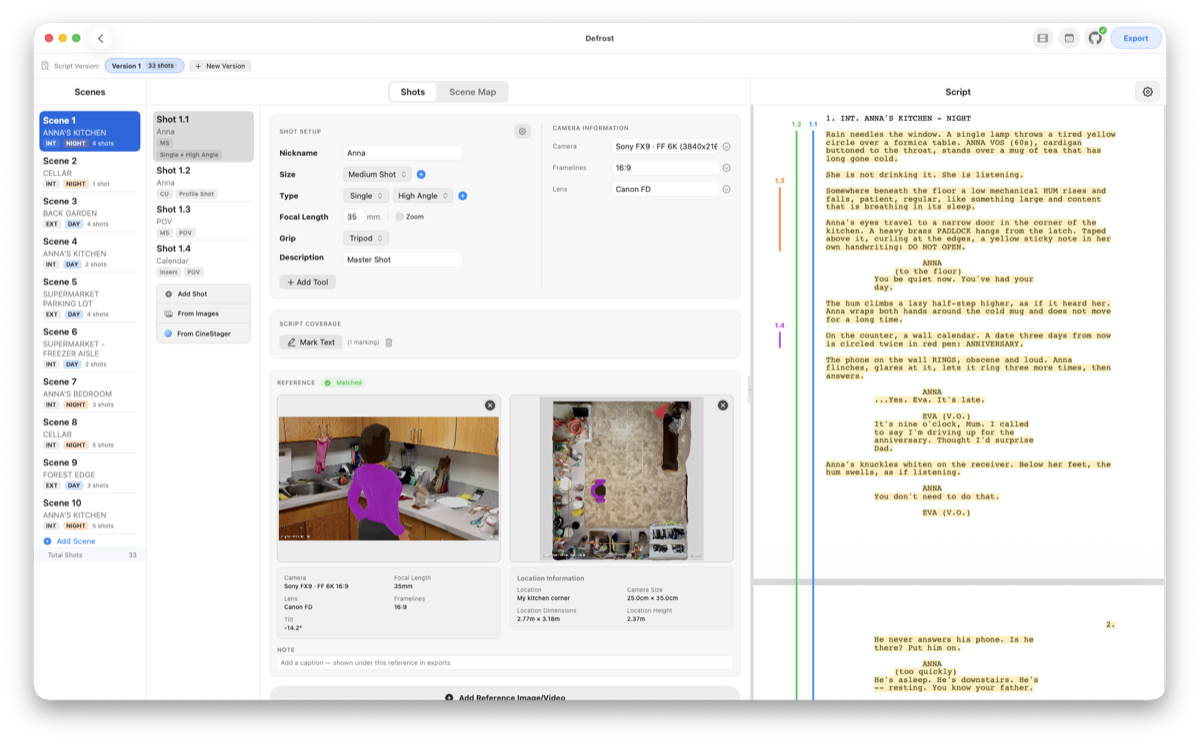
Import your screenplay PDF and view it directly alongside your shot list. Scenes are organized automatically with location headers, INT/EXT tags, DAY/NIGHT indicators and shot counters — so you break the page down without ever leaving it.
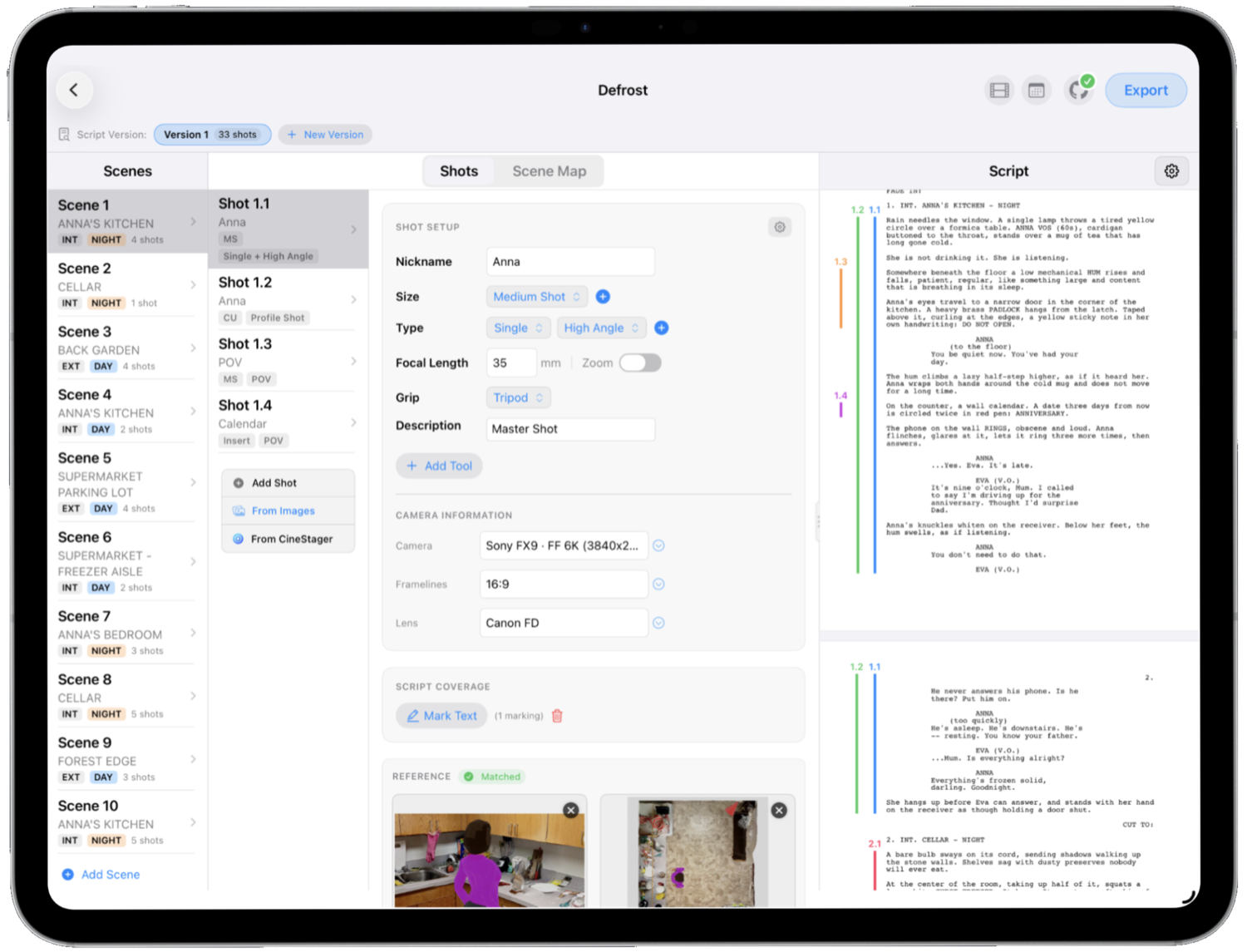
  • Side-by-side screenplay reader and shot list
  • Automatic scene breakdown with INT/EXT and DAY/NIGHT
  • Per-scene shot counters keep coverage at a glance
SCENES 14. INT. KITCHEN — NIGHT 15. EXT. DRIVEWAY — NIGHT 16. INT. CAR — NIGHT 17. EXT. FIELD — DAWN 18. INT. HALLWAY — DAY 19. INT. BEDROOM — DAY 5 42326 INT. KITCHEN — NIGHT MAYA stands at the counter, the kettle screaming. She doesn't move. Headlights sweep across the wall. MAYA He's here.
SHOTSIZEMOVEMENTLENSGRIP 14AWSSingle21mmTripod 14BMSOTS40mmDolly 14CCUSingle75mmSteadicam 14DTopInsert50mmGimbal GEAR · ALEXA 35 · Super 35 · 40mm · 2.39:1 ▣ Reference frame attached
🎬

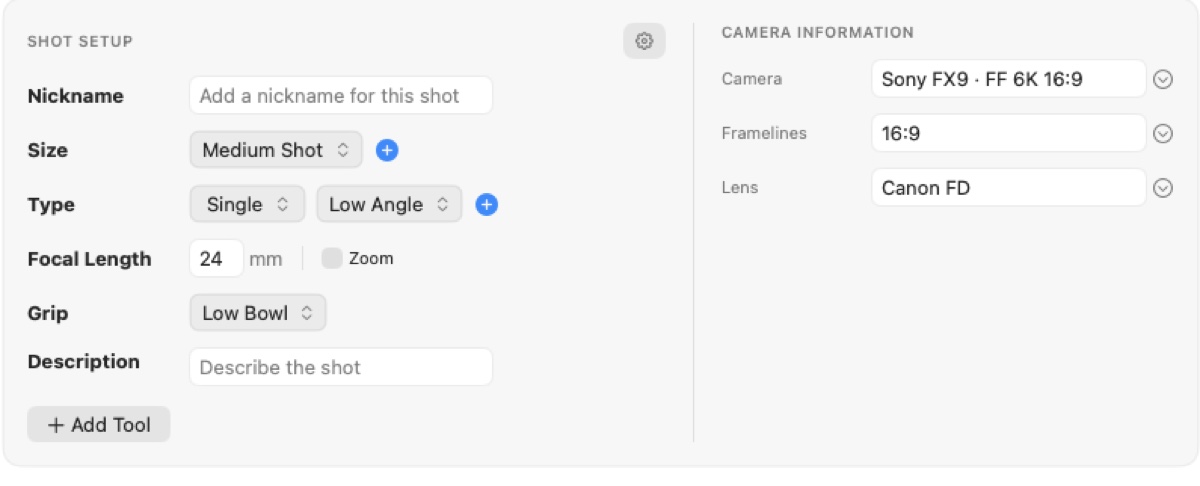
Log every shot, the way you shoot.

Specify shot size (Close Up, Wide…), shot type (Single, OTS, Top Shot), focal lengths and the exact camera gear — and choose the grip that puts it there.

  • Grip setups: Tripod, Handheld, Dolly, Steadicam, Gimbal, Crane
  • Attach lookbook, previz or location reference frames
  • Log bodies, lens sets, focal lengths, aspect ratios and formats
  • Camera metadata reads itself from your reference photos' EXIF
INT. KITCHEN — NIGHT 1 2 3 4 14A 14B 14C 14D
Signature feature
🖍️

See what covers
every line.

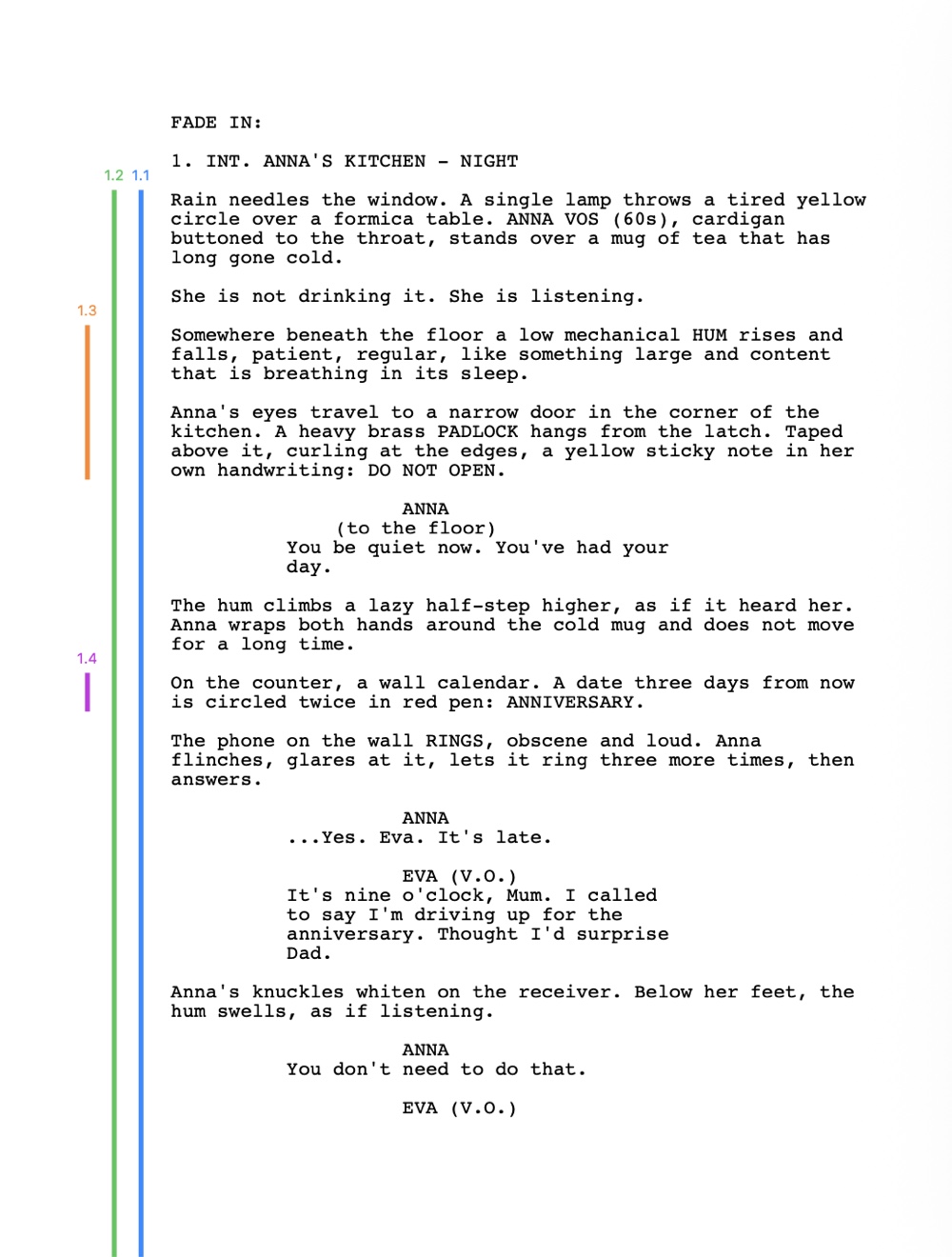
Highlight passages of dialogue or action in the built-in screenplay reader, and CinePlanner draws thin vertical coverage lines in the margin — numbered and color-coded to each shot. It's an instant visual map of which camera setups cover which lines.

  • Tap-to-select word picker to mark the script
  • Color-coded, numbered coverage lines per shot
  • Spot uncovered lines before you step on set
🗺️

Block it on an
overhead map.

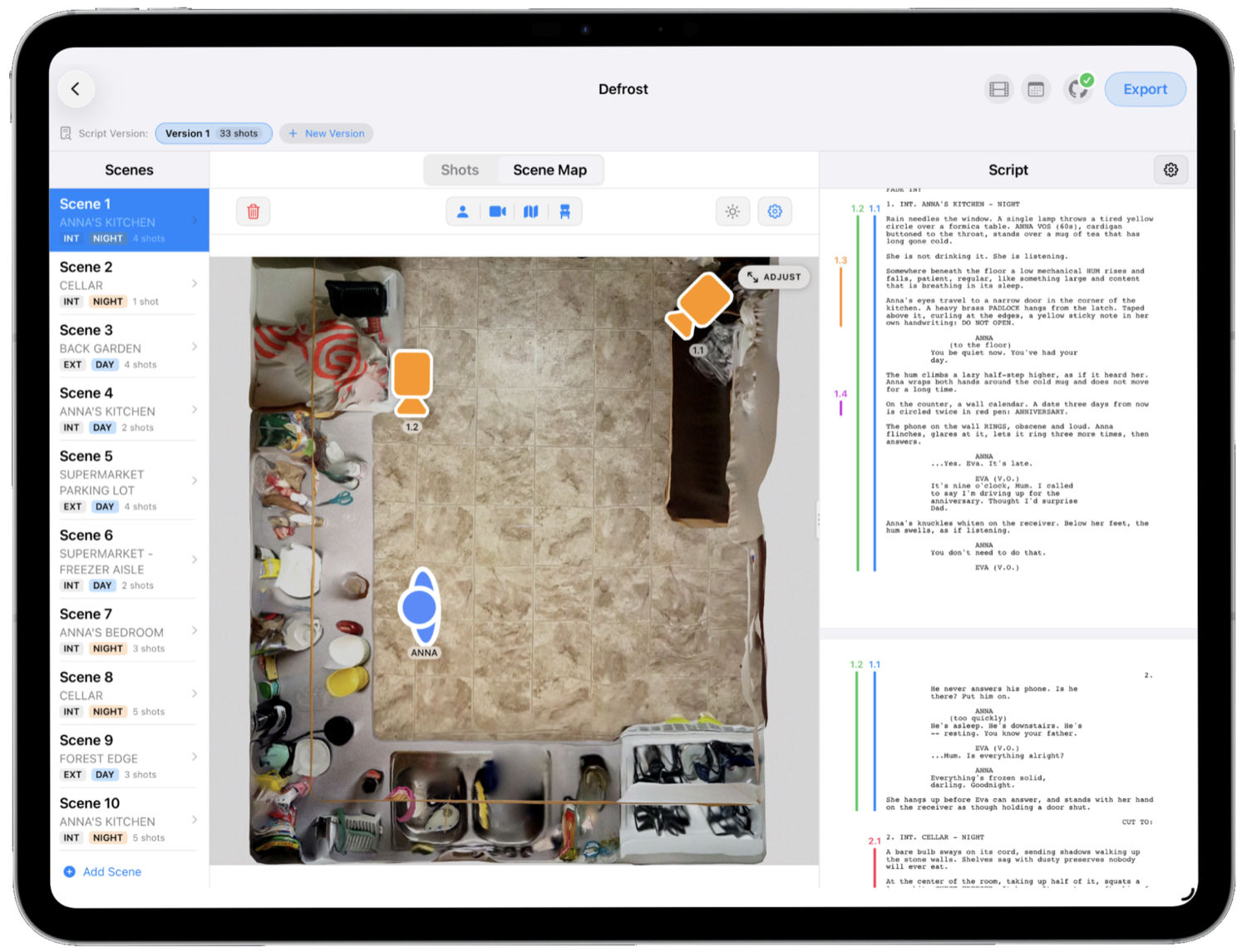
Place camera icons, actor markers and floor-plan maps to plan scenes in 2D, and draw actor and camera moves across the map to communicate complex blocking to your crew. Drop a real satellite map under any scene, pan to your exact location and set which way is North.
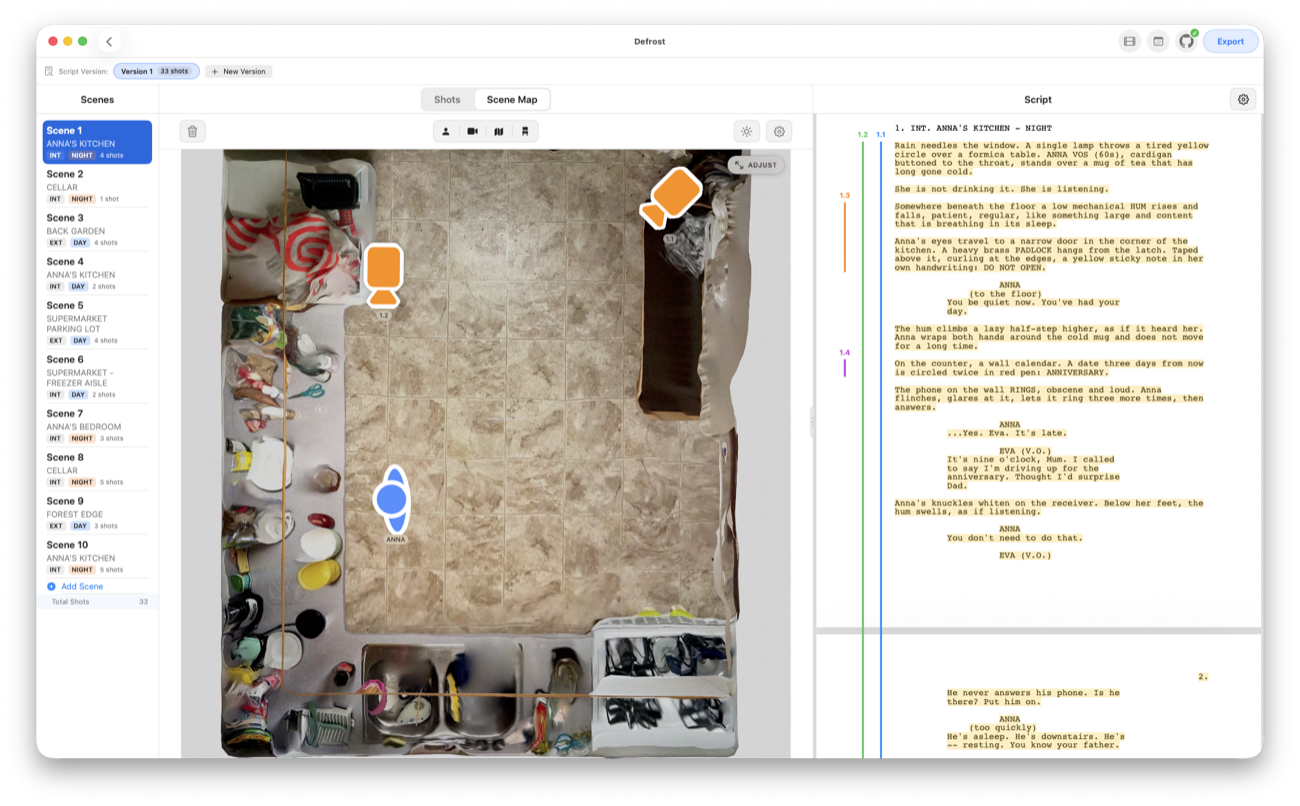
  • Movement paths for actors and cameras
  • Satellite locations with a North reference
  • Sun & daylight: scrub the day to see the sun's direction and height, with sunrise and sunset times
Sunrise 06:58 · Sunset 19:52 N CAM MAYA TOM
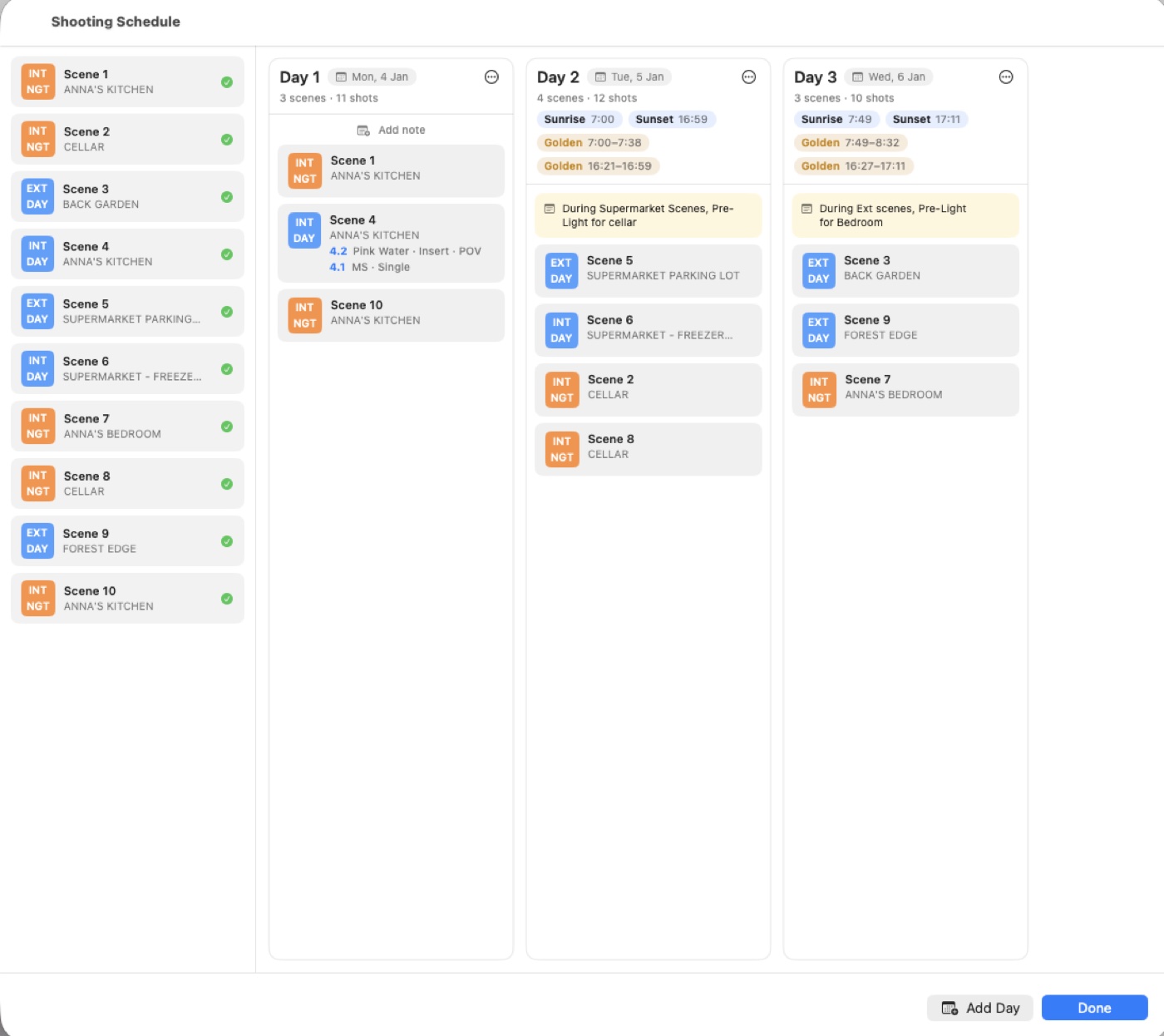
DAY 1DAY 2DAY 3 Sc 14 · INTKitchen · 5 Sc 15 · EXTDriveway · 4 Sc 17 · EXTField (1/2) · 3 Sc 19 · INTBedroom · 2 Sc 17 · EXTField (2/2) · 4 Sc 16 · INTCar · 2 shots ⇕ drag
🗓️

Build the day on a strip board.

Arrange scenes into shooting days in shoot order, split a scene across days, and drag strips between days to build the plan. It's a board on Mac and iPad, and a list on iPhone — the same schedule, wherever you are.

  • Drag strips between days; split a scene across days
  • Order scenes exactly the way you'll shoot them
  • A board on Mac & iPad, a list on iPhone
On set, live
📱

Run the day,
from your pocket.

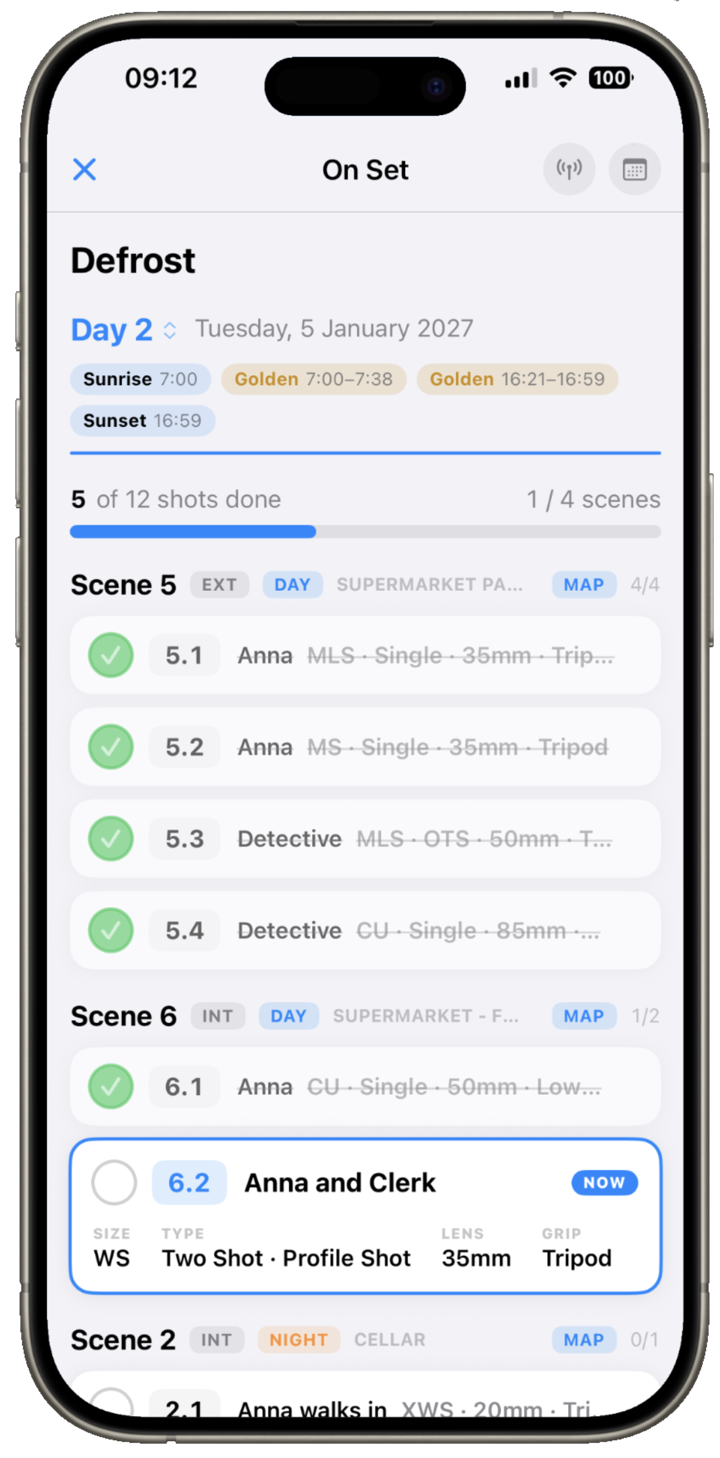
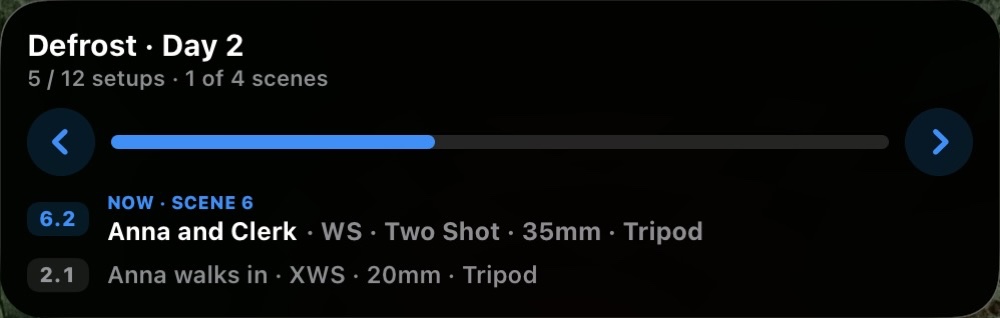
When the shoot day arrives, switch to a full-screen, check-off view of the day's scenes. Mark each shot as it's in the can, log your takes and circle the keeper — with the current setup blown up large and REF and MAP a tap away.

  • Mark shots in the can; log takes and circle the keeper
  • Live Activity on the iPhone Lock Screen & Dynamic Island
  • Step shot to shot without opening the app
  • Progress at a glance — shots done, scenes wrapped
NOW SHOOTING · SCENE 14 14B MS · Dolly in 40mm · ALEXA 35 · Dolly TAKES 1 2 3 ◎ keeper REF MAP 14A · WS · Static 14C · CU · Handheld 14D · OTS · Static 14E · Insert · Static 2 / 5 SHOTS · SCENE 14 CINEPLANNER · ON SET 14B · MS · 40mm Next · 14C · CU · Handheld ✓ DONE NEXT →
Part of the same toolkit

Scout it in AR.
Plan it. Shoot it.

Plan a shot on location in augmented reality with CineStager — real cameras, lenses and framelines — and its AR setups and top-down maps flow straight into CinePlanner to finish and shoot. One shared iCloud folder, read-only, no double work.

Discover CineStager →
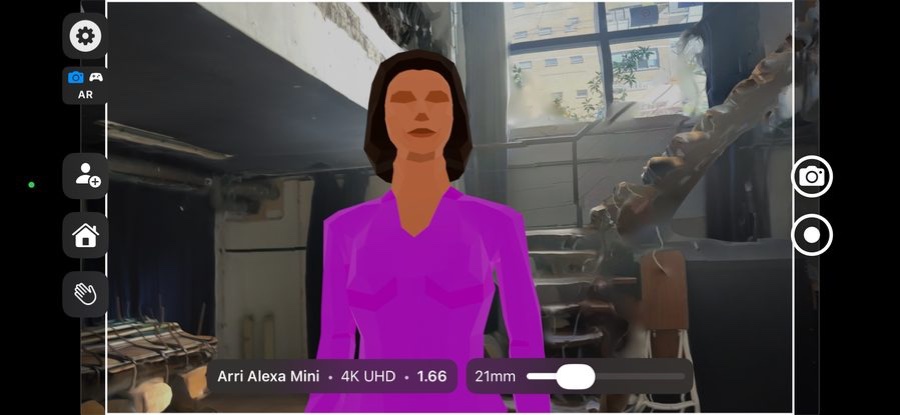
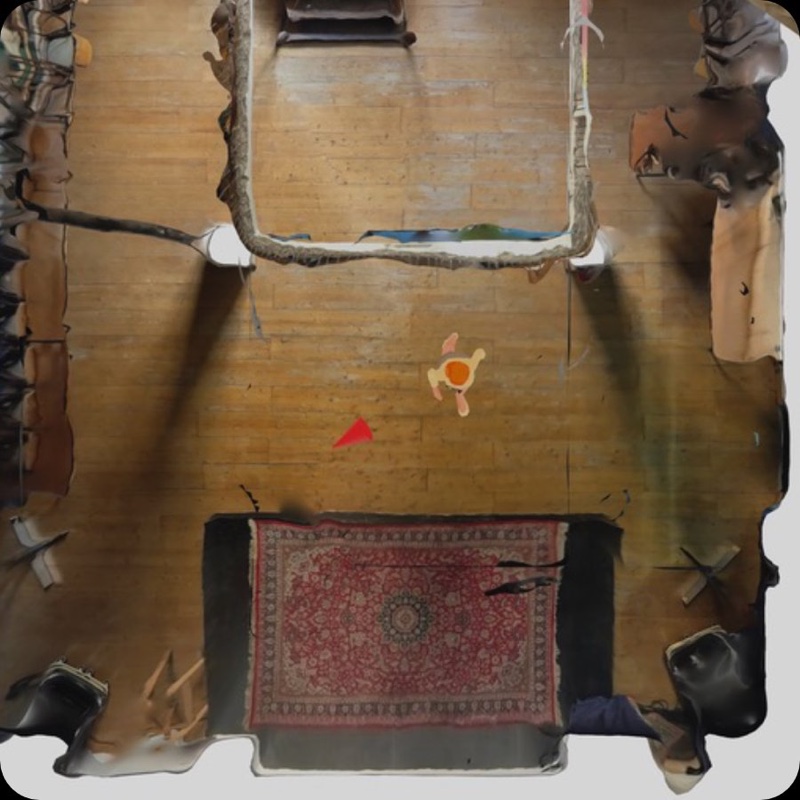
AR · 35mm PLAN · MAP N
More that comes with it

One continuous chain,
script to set.

Everything above, plus the pieces that keep a whole production organized and synced — instead of a spreadsheet, a drawing tool, some PDFs and a group chat.

🖼️

Reference frames & gear

Link lookbook images, previz renders or location photos to each shot, and log bodies, lens sets, focal lengths, aspect ratios and formats right beneath them.

🗂️

Versions & series

Keep multiple script revisions side-by-side and copy shots between drafts, and split larger projects into episodes without losing organization.

📤

Flexible export

Output your plan as an interactive HTML page, a PDF shot list, plain text, or a dedicated "Script with Coverage" PDF.

🔗

Live web links

Publish your shot list to a shareable link complete with images and video — it updates automatically whenever you republish.

☁️

iCloud sync, Mac & iPad

Start planning at your desk on Mac, then carry your full plan onto set on your iPad. Touch-optimized controls throughout.

CineStager integration

Pull in setups directly from the CineStager AR companion app — what you scout on location flows into your plan.

Crafted for the people
who plan the shoot.

Whether you're prepping a high-concept short or an episodic series, CinePlanner keeps your creative vision clear, organized and synced everywhere.

🎥

Directors & DPs

Step on set with clear reference frames, lenses and blocking already pre-planned — your vision, laid out shot by shot.

📋

1st ADs & Line Producers

A filterable, shareable shot list and a strip-board schedule to build efficient, realistic shoot days.

🎓

Indie crews & film students

A fast, visual, modern alternative to complex production suites — from screenplay to shoot day.

"I wanted one place that sits between the screenplay and the set — read the script, mark what every shot covers, block it on a map, and then run the day in my hand on the floor. So I built it."

Yannick Giraud · Cinematographer & maker of CinePlanner
CinePlanner

Design your shots.
Shoot your plan.

CinePlanner is coming to the App Store and the Mac App Store — native on Mac and iPad, with an iPhone Live Activity for the set.

Download on the App Store